How to use this map
The map shows how far below the ground the water table sits in each Indian district, every year since 1985, before and after the monsoon. Here is how to read it and dig into any district.
Read the map
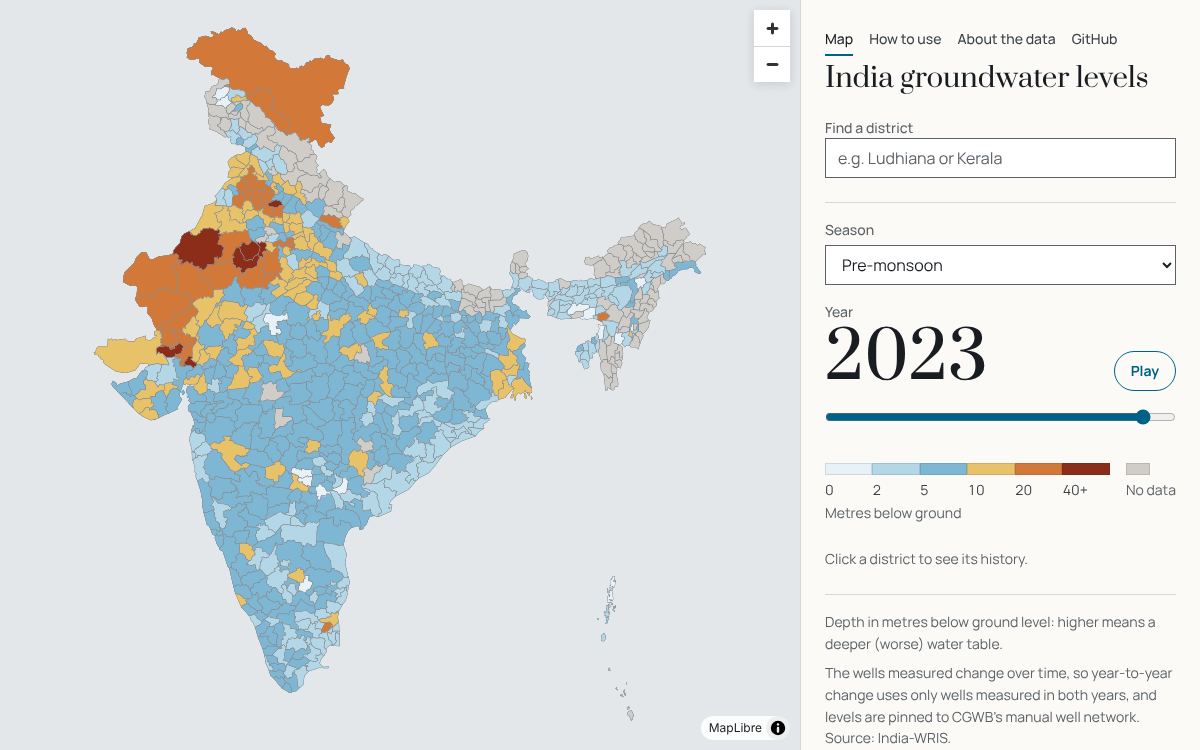
Each district is coloured by its depth to water, in metres below ground level, for the season and year shown in the panel.
- under 2 m
- 2 to 5 m
- 5 to 10 m
- 10 to 20 m
- 20 to 40 m
- 40 m and deeper
- no data
Blue is shallow, rust is deep. A deeper water table means wells and pumps must reach further down, so darker, redder districts are generally under more stress. Grey means there were no usable readings for that district in that season and year.
On a computer, hover over a district to see its name and value. Scroll or pinch to zoom, drag to pan.
Season and year
- Season: Pre-monsoon (March to May) shows the water table at its lowest, before the rains. Post-monsoon (October to December) shows it after the rains have recharged it. Comparing the two shows how much the monsoon refills a district.
- Year: drag the slider, or click it and use the arrow keys, to move from 1985 to 2026. The large number shows the year on the map.
- Play steps through every year to animate change over four decades. Press Pause to stop on a year.
Find a district
Type a district or state name in Find a district (for example "Ludhiana" or "Kerala"). Pick a result with the mouse, or with the arrow keys and Enter. The map zooms to the district and opens its panel.
You can also simply click any district on the map.
The district panel
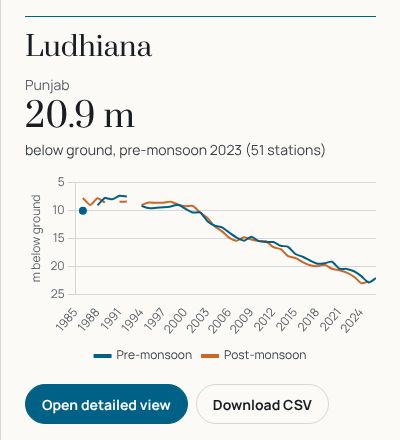
- The large figure is the district's depth for the chosen season and year, with the number of wells behind it.
- The chart shows the whole record: one line for pre-monsoon, one for post-monsoon. The depth axis is upside down, so a line going down means the water table is falling (getting deeper). Gaps are years with no data.
- Hover the chart to see each year's value and well count.
- "Estimated: no manual wells this year" means the value could not be anchored to CGWB's hand-measured wells and was carried on from nearby years. Treat these with more caution. Why?
The district page
Click Open detailed view in the panel for a full page about the district.
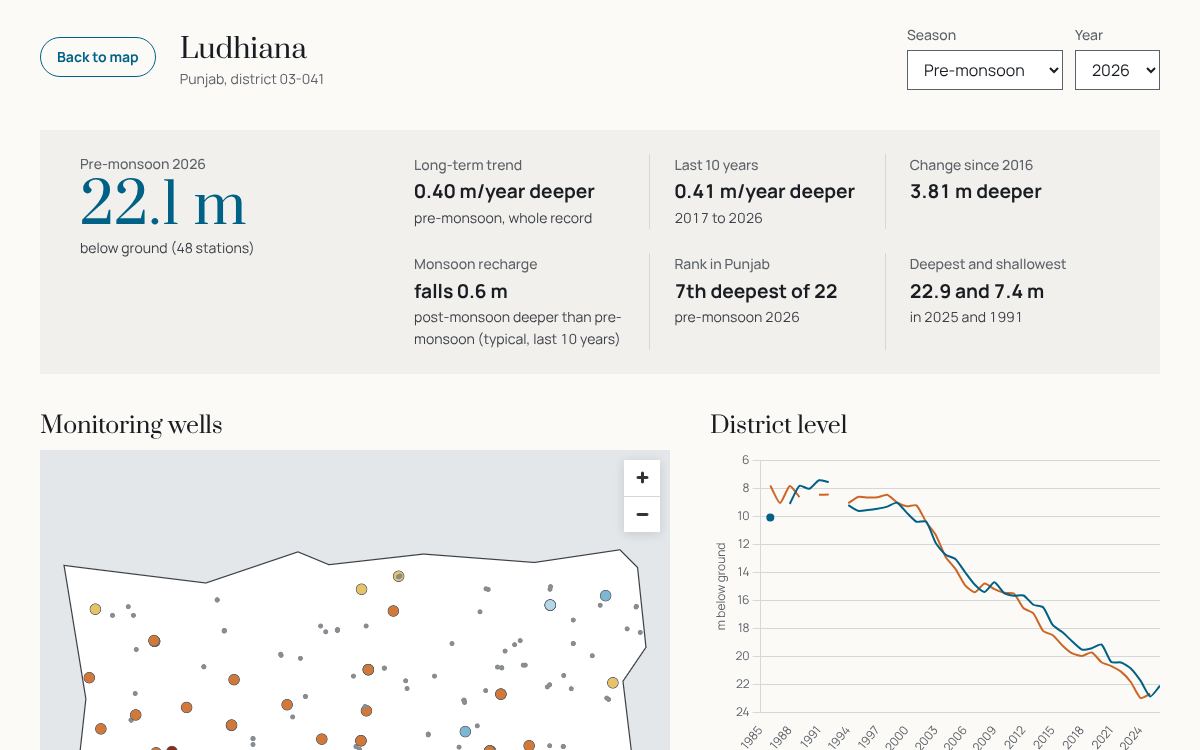
- Change the season and year at the top; all figures and the well map follow.
- The figures show the long-term and 10-year trends (metres per year deeper or shallower), the change over ten years, how much the monsoon typically raises the water, the district's rank in its state (1st = deepest) and its deepest and shallowest years. How each is calculated.
- Back to map returns to the map, keeping the season and year you chose.
Monitoring wells
The well map on the district page shows every monitoring well on record in the district.
- A coloured dot is a well measured in the chosen season and year, in the same colours as the main map.
- A small grey dot is a well that was not measured that year.
- A dark ring marks a well read by hand (CGWB's manual network); the others are automatic sensors or state wells.
- Hover a well for its name and depth; click it (or tap on a phone) to see its own history chart beside the map.
Tips
- On a phone, the map sits above the panel: scroll down for the controls and the chart.
- Recent years have many more wells (automatic sensors added from about 2020), but those are not always comparable with older ones. The district values account for this; individual wells do not.
- Pre-monsoon 2020 has very few readings because of the COVID-19 lockdown.
- This is an unofficial visualisation of public India-WRIS data. Read how it was made and its limitations.